
Al Baik App Guide: Setup and First Order Steps
Skipping the counter line entirely and ordering straight from your phone is one of the more underused ways to enjoy Al Baik, especially at busy branches where a queue is nearly guaranteed. This guide walks through exactly how to find, download, and set up the genuine official app, along with how to avoid the regional and unofficial copies that occasionally cause confusion.
Quick Facts: The Official Al Baik App
Detail: Information Official publisher name to look for: AL BAIK FOOD SYSTEMS CO. Available on: Apple App Store and Google Play Store Reported user base: Over 4 million users Core features: Mobile pre ordering, spice level customisation, live order tracking, saved payment methods Countries covered: Saudi Arabia, United Arab Emirates, Bahrain, and Kuwait, based on where Al Baik currently operates Regional variant apps to be aware of: A separately published Al Baik Pakistan app exists under a different developer name
Step One: Search the Correct App Store, Not a Third Party Site
Start directly in the Apple App Store on iPhone or the Google Play Store on Android, rather than searching generally online. Third party download sites do exist for the Al Baik app, and while some of them may be legitimately scanned and safe, downloading directly from the official app stores is always the more secure and more reliably up to date option, since updates and security patches roll out there first.
Step Two: Search for ALBAIK and Check the Publisher Name
Type ALBAIK into the search bar. Before tapping install, check the developer or publisher name listed underneath the app icon. The genuine official app is published under AL BAIK FOOD SYSTEMS CO., the same corporate entity that owns and operates the actual restaurant chain. If a search result shows a different publisher name, a generic sounding developer, or an app with very few downloads and reviews, it is very likely not the official app, even if the icon and name look similar at a glance.
This step matters more than it might seem. The same naming confusion that has affected physical Al Baik branches in some countries, covered in more depth in our guide on fake franchise claims circulating in the UK, France, and Egypt, can show up in app stores too, and checking the publisher name is the single fastest way to avoid it.
A Note on Regional Apps
It is worth knowing that Al Baik Pakistan exists as its own, separately published app, built by a different developer specifically for that market rather than being the same global app used elsewhere. Reviews for this regional app have been notably mixed, with some customers specifically criticising quality and accusing certain branches of damaging the brand’s reputation. If you are ordering in Saudi Arabia, the UAE, Bahrain, or Kuwait, the main global ALBAIK app published by AL BAIK FOOD SYSTEMS CO. is the one to use, rather than a country specific variant that may operate under a different arrangement entirely.
Step Three: Download and Open the App
Once you have confirmed the correct listing, tap install and wait for the download to finish. App size has been reported at roughly 62 megabytes, a modest download that should complete quickly on most connections. Open the app once installation finishes.
Step Four: Set Your Location
The app will typically ask you to set your delivery or pickup location, either through GPS detection or by manually placing a pin on a map. This step matters because Al Baik automatically assigns your order to the nearest branch capable of fulfilling it, so an accurate location genuinely affects both delivery time and whether your order can be fulfilled at all if you are outside a branch’s coverage area.
Step Five: Create an Account and Add Payment Details
Set up your account details and, if you plan to order regularly, add a saved payment method. This step is particularly useful for travellers, since setting up payment details in advance means you can place an order the moment you land rather than fumbling with account creation while genuinely hungry and jet lagged.
What Permissions the App Typically Requests
Like most food ordering apps, ALBAIK will typically request access to your device location, which is essential for the branch assignment feature to work correctly, along with permission to send push notifications for order tracking updates. It may also request access to your contact information and payment details when you set up an account. These are standard permissions for a food delivery app and align with what similar apps from other major restaurant chains request, though it is always reasonable to review exactly what an app is asking for before granting access, particularly around payment information.
Security scans conducted by third party app safety services on versions of the app available for download have generally reported no signs of malware or spyware, though downloading directly from the official Apple App Store or Google Play Store remains the more reliable approach specifically because those platforms conduct their own independent review process before an app is listed at all.
Step Six: Browse the Menu and Place Your First Order
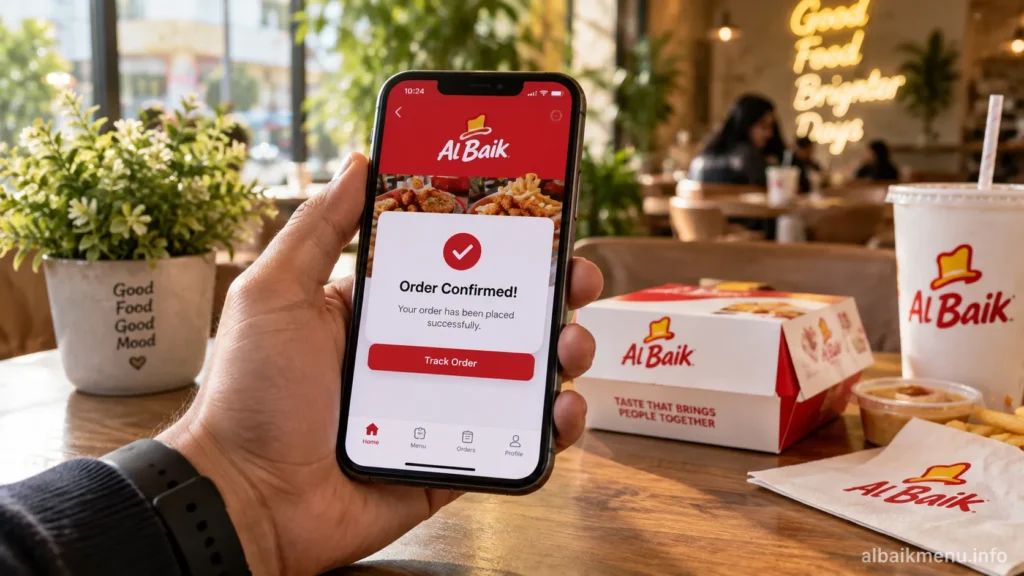
From the home screen, choose a food category, then select your specific meal within that category, then choose between regular and spicy where that option applies, followed by your desired quantity. Review your selection, then confirm your order using the app’s order confirmation button. You will typically receive a confirmation notification, followed by live tracking updates as your order moves from the kitchen toward pickup or delivery.
Why Using the App Is Genuinely Worth It
Beyond the basic convenience, the app specifically addresses one of Al Baik’s most well known characteristics, its queues. Mobile pre ordering allows you to secure your order before you physically arrive, meaning you can walk in and collect rather than joining a line that, at some branches, has been known to stretch well past an hour on busy days. For anyone who has read about Al Baik’s famously long opening day queues at new branches, the app is essentially a direct workaround for exactly that problem.
Troubleshooting Common Setup Issues
If the app fails to detect your location accurately, manually adjusting the pin on the map usually resolves the issue faster than relying on automatic detection, particularly in newer branch areas where map data may not be fully updated yet. If a menu item you expect to see does not appear, it may simply not be available at your nearest assigned branch, since not every location carries the complete national menu at all times. If your account will not accept a specific payment method, switching to a different saved card or trying cash on delivery where available typically resolves the issue without needing to contact support.
Alternatives If the App Is Not Available in Your Area
If you are in a country without an official Al Baik branch, the app will generally not be useful for actual ordering, since there is no nearby restaurant for it to assign your order to. In that situation, the honest answer is that there is currently no legitimate way to order genuine Al Baik through the app, and third party delivery platforms or unofficial local restaurants using a similar name should be approached with the same caution covered in our broader guide to fake Al Baik claims in unconfirmed markets.
Frequently Asked Questions
Is the Al Baik app free to download? Yes, the official ALBAIK app is free to download from both the Apple App Store and Google Play Store.
How do I know I am downloading the real Al Baik app and not a copy? Check that the publisher listed is AL BAIK FOOD SYSTEMS CO. before installing, and be cautious of listings with unfamiliar developer names or very few reviews.
Does the Al Baik app work in every country? No, it is genuinely useful only in countries where Al Baik operates official branches, currently Saudi Arabia, the United Arab Emirates, Bahrain, and Kuwait.
Is Al Baik Pakistan the same app as the main ALBAIK app? No, it is a separately published app built by a different developer specifically for the Pakistan market, and is not the same global app used in other countries.
Can I use the app to skip Al Baik’s famous queues? Yes, mobile pre ordering lets you place and pay for your order in advance, then collect it without joining the walk in line at busy branches.
What should I do if the app is not useful in my country? If no official Al Baik branch operates in your country, the app will not have a nearby restaurant to assign orders to, and unofficial local alternatives should be treated with caution.
What permissions does the Al Baik app ask for? Typically location access for branch assignment, notification permissions for order tracking, and payment or contact details during account setup, all standard for a food ordering app of this kind.
Is it safe to save my card details in the Al Baik app? The official app follows standard practices for storing payment information, and downloading directly from the Apple App Store or Google Play Store, rather than a third party site, is the safest way to ensure you are using a properly vetted version.
